Explore the platform
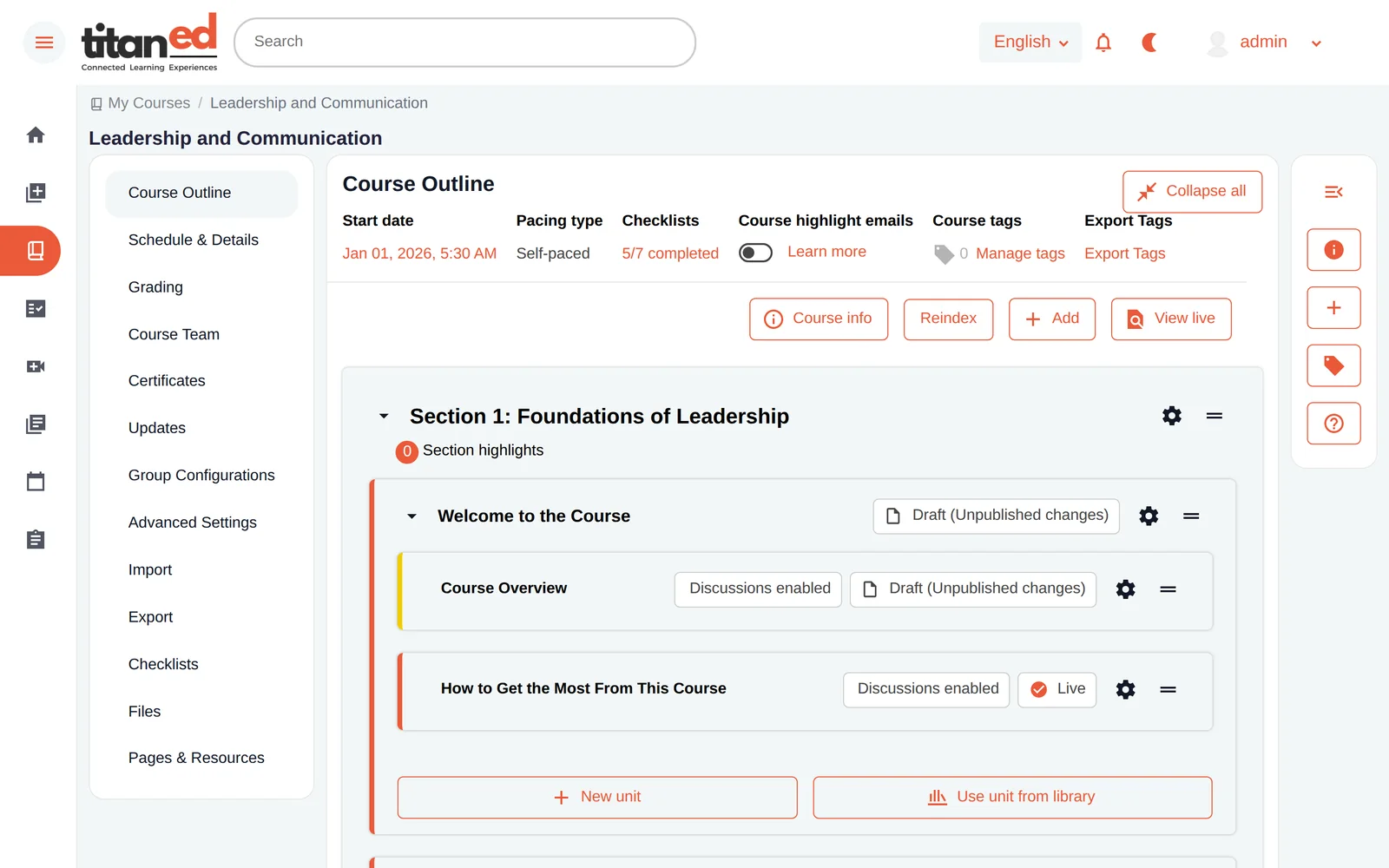
◈TitanEd Orbit OverviewThe complete AI-centric learning platform✎StudioCreate, collaborate and manage courses▣LMSConnected, supported learning experiencesBuilt into every experience
✧TitanAIUseful AI in the flow of learning⚙Control-HubConfiguration, governance and insights☷Explore CapabilitiesDetailed features for evaluationStart with what matters
Request a free trial, follow guided setup and explore the capabilities that fit your needs.
Try TitanEd Orbit Free →Learning missions
▤Academic LearningTeaching, courses and learner support▦Workforce DevelopmentTraining and professional capabilityAdapt to your programs
◎Learning at ScaleDistributed and multilingual learning▥Learning BusinessesBranded courses and learning programsOne platform, many priorities
See how TitanEd Orbit supports your mission with the capabilities you choose.
Explore learning experiences →Learn, connect and make progress with the LMS experience within TitanEd Orbit. Learners can discover courses, engage with content, participate in discussions and track their progress, with contextual AI assistance available in enabled learning experiences.
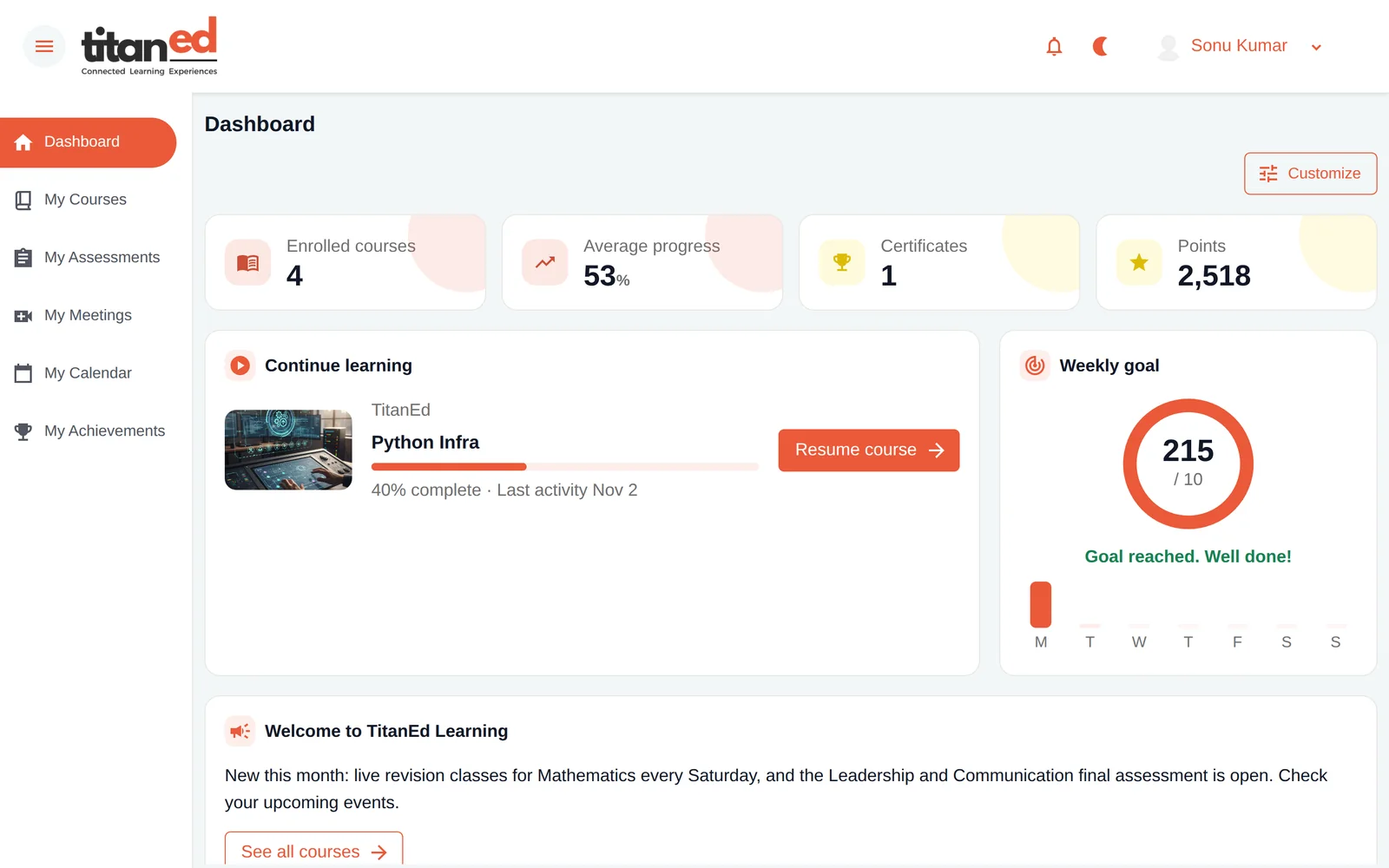
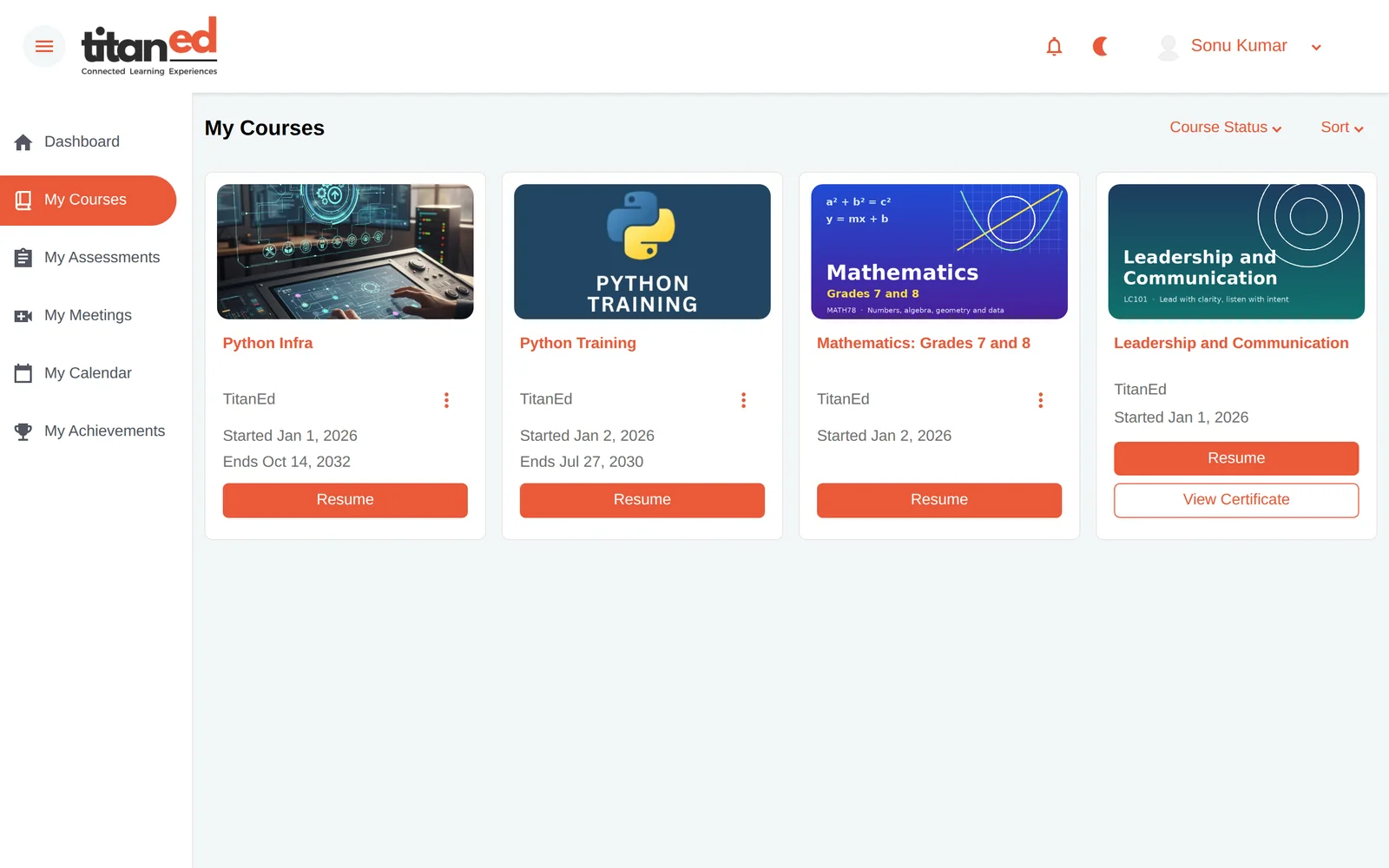
TitanEd Orbit brings courses, schedules, activities and progress into a familiar home, helping learners focus on what comes next.
Find courses and enter assigned or enrolled learning.
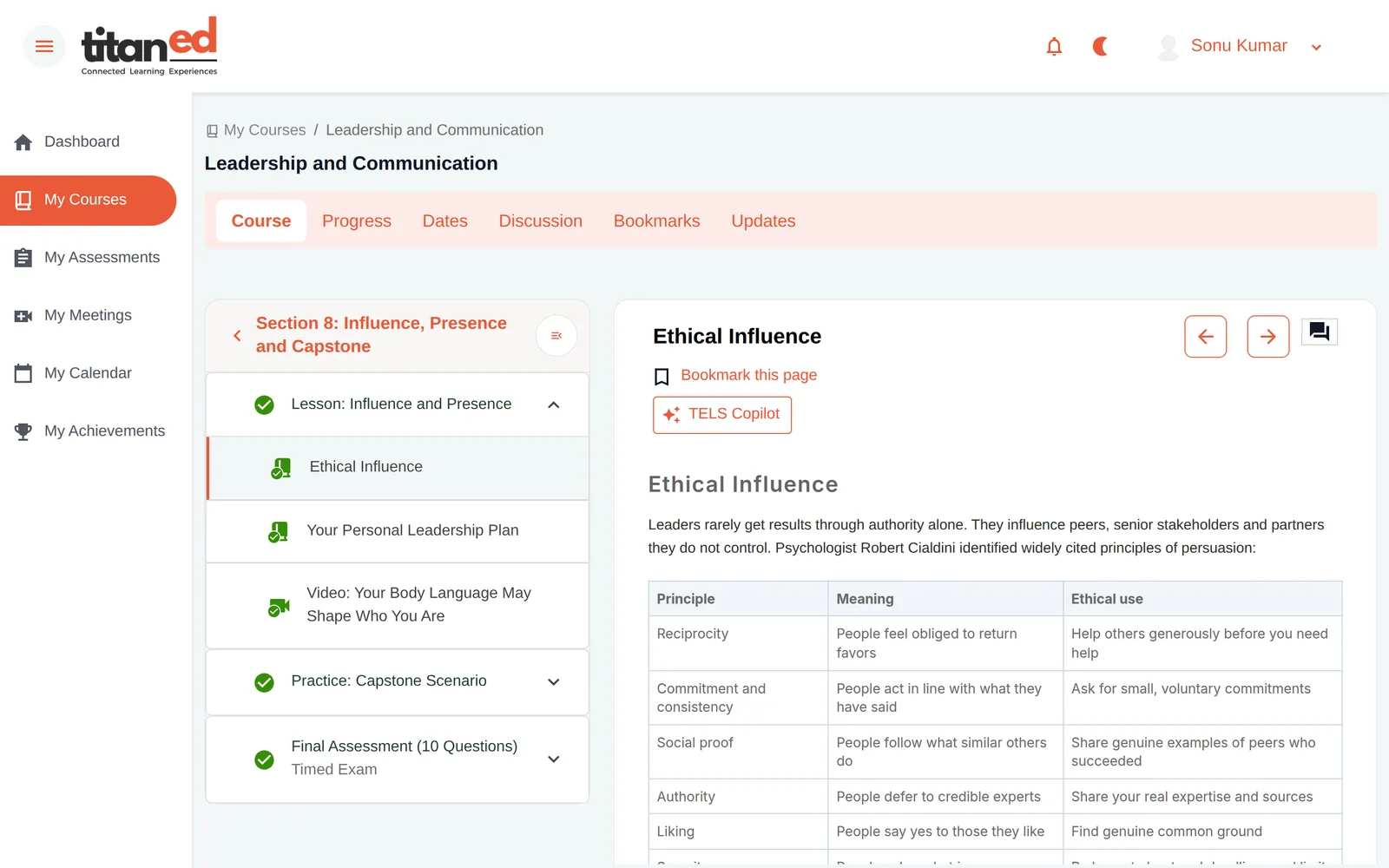
Follow a structured lesson with videos, text, interactive activities and assessments.
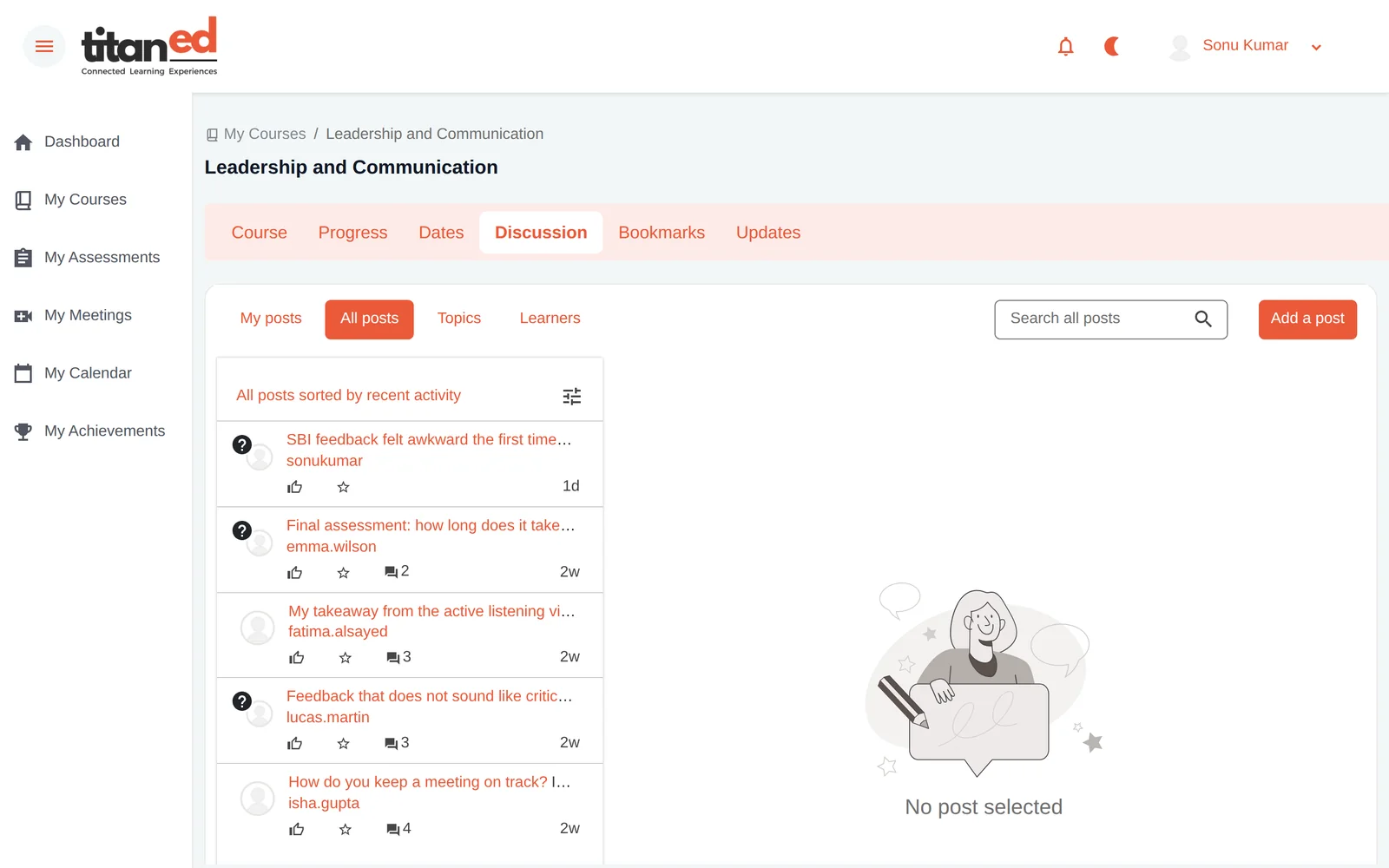
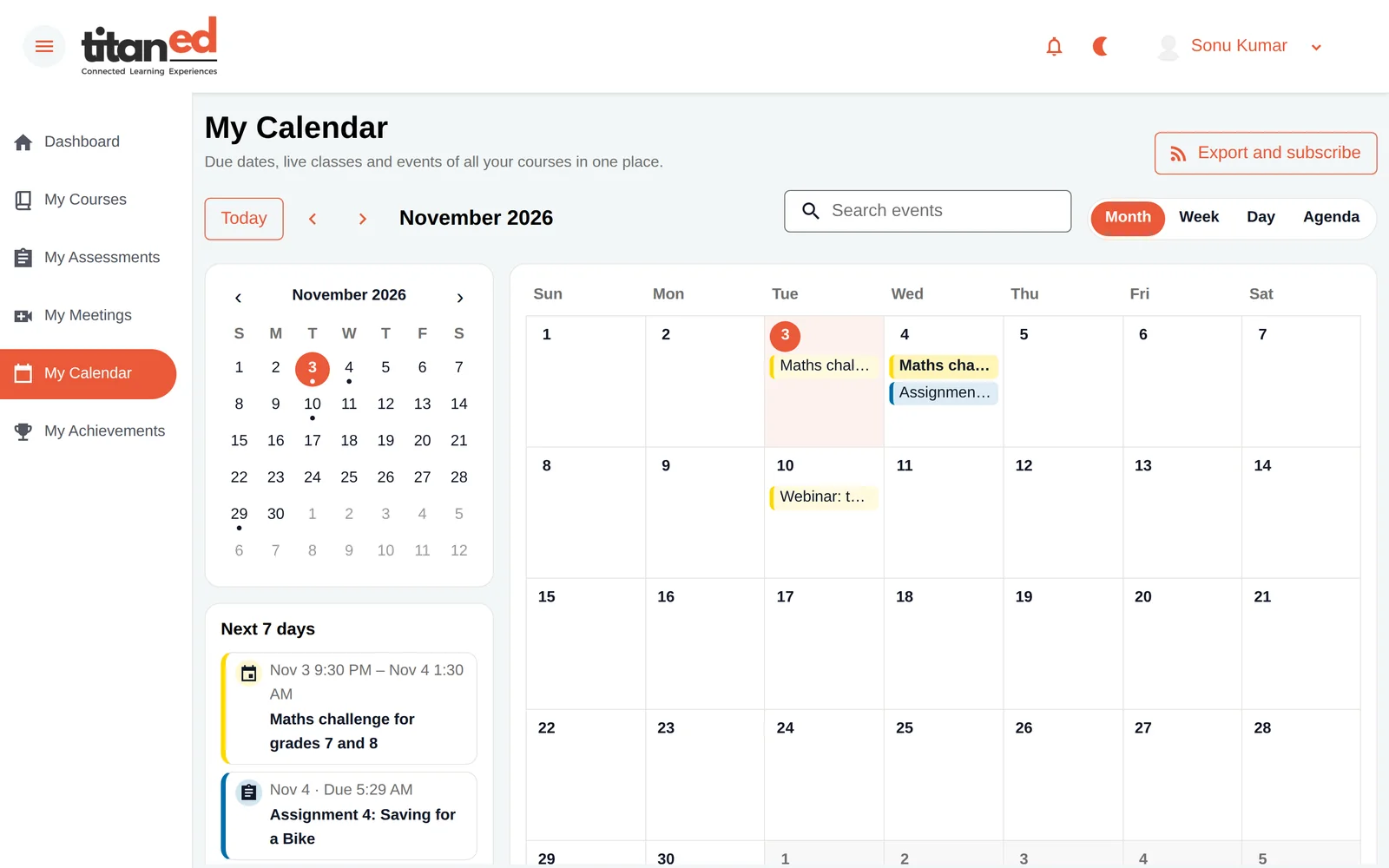
Use discussions, course updates, dates and learning events.
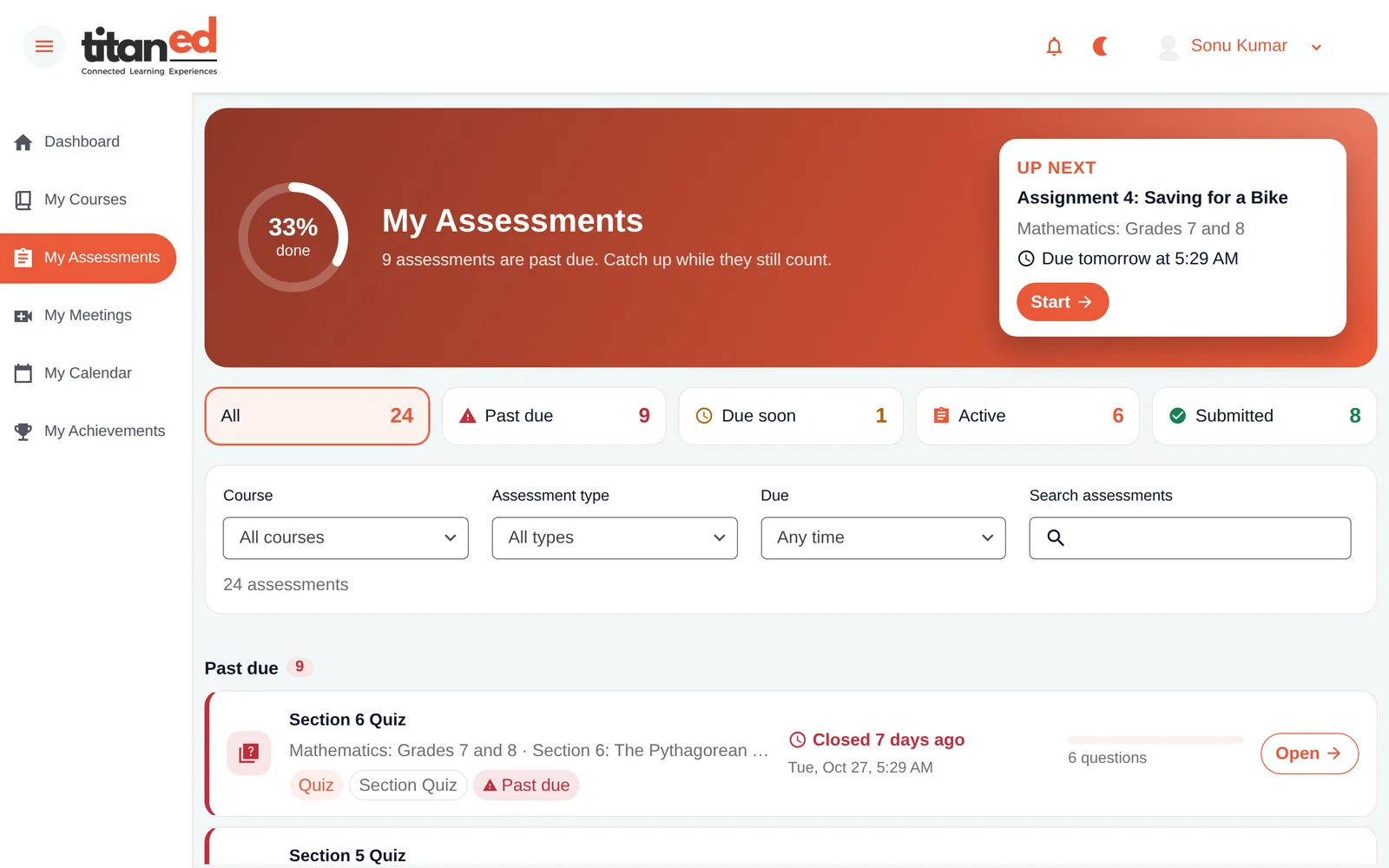
See completion, grades, goals and achievements in one place.
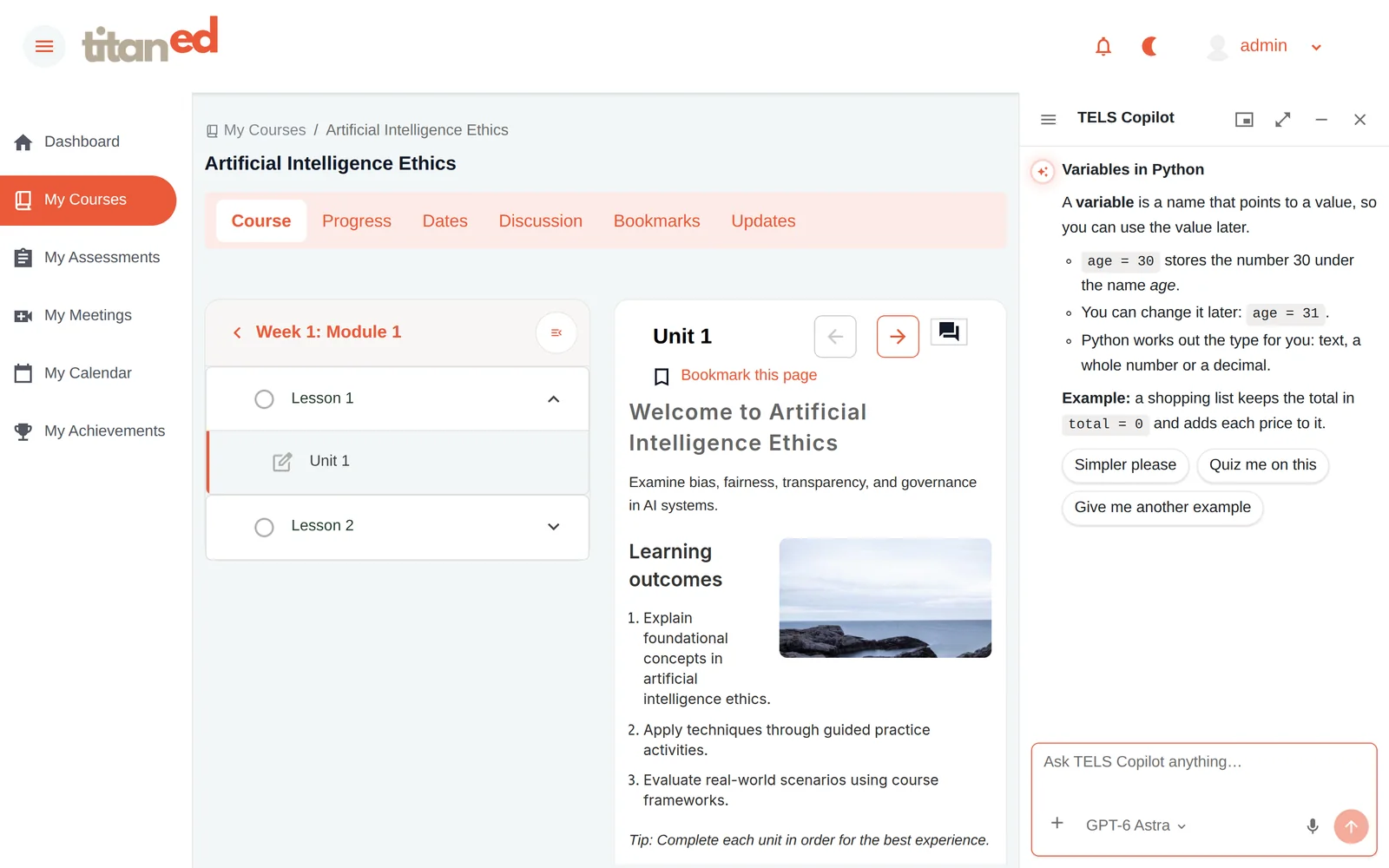
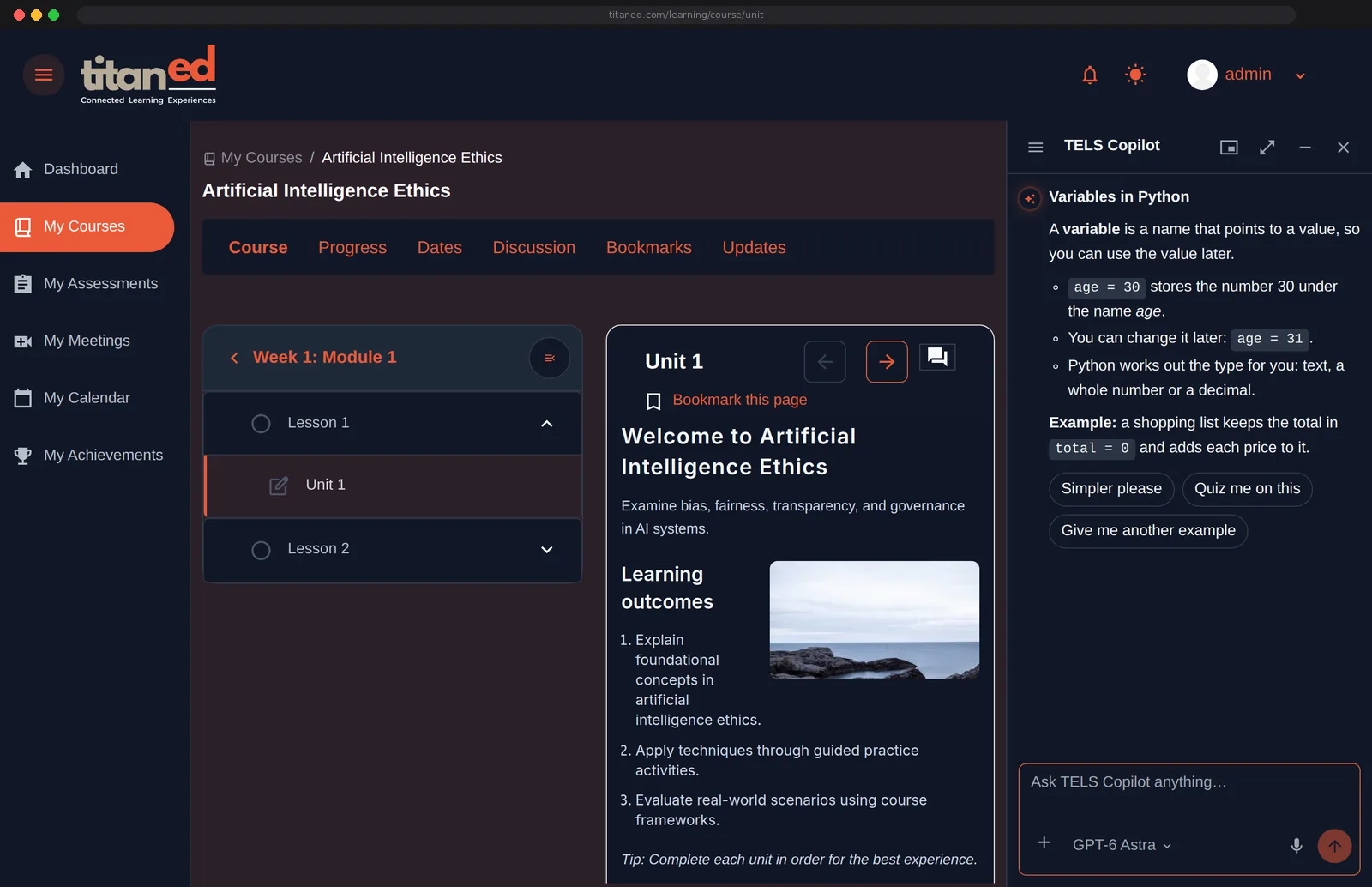
When a learner needs an explanation, an example or a way to practice, contextual TitanAI support can be available alongside the lesson. It is designed to help learners work through ideas, not simply supply assessment answers.
Ask a question about the current unit.
Reinforce concepts through supported study and practice tools.
Return to the lesson with its context intact.
Product screen showing the unit-scoped Copilot entry and starter questions. AI tools are enabled per institution and plan; they are not all active by default.
The core learning experience remains simple, with a deeper set of tools supporting different learning needs and programs.
Dashboard, goals, course dates, upcoming activities, notifications and progress.
Course discussions, updates and instructor or class interactions where enabled.
Assessments, graded work, progress, achievements and certificates where configured.
Catalog, course home, lessons, media and downloads where available.
Completion, grades, exams, deadlines, practice and certificates.
Discussions, updates, announcements and live-session options.
Personalized dashboard, bookmarks, calendar, notifications and profile. Learners can rearrange supported dashboard widgets; calendar import/export is available rather than live calendar sync.
Supported interface languages, responsive views and learner preferences.
Contextual course/unit help and other configured TitanAI capabilities.
What learners experience in LMS connects to course creation in Studio, organizational oversight in Control-Hub and contextual intelligence through TitanAI. Start with the capabilities that matter to your program, and add others when you need them.
This website uses cookies to improve your experience. We'll assume you're ok with this, but you can opt-out if you wish. Read More