Explore the platform
◈TELS Cloud OverviewThe complete AI-centric learning platform✎StudioCreate, collaborate and manage courses▣LMSConnected, supported learning experiencesBuilt into every experience
✧TitanAIUseful AI in the flow of learning⚙Control-HubConfiguration, governance and insights☷Explore CapabilitiesDetailed features for evaluationStart with what matters
Request a free trial, follow guided setup and explore the capabilities that fit your needs.
Try TELS Cloud Free →Learning missions
▤Academic LearningTeaching, courses and learner support▦Workforce DevelopmentTraining and professional capabilityAdapt to your programs
◎Learning at ScaleDistributed and multilingual learning▥Learning BusinessesBranded courses and learning programsOne platform, many priorities
See how TELS Cloud supports your mission with the capabilities you choose.
Explore learning experiences →TitanAI brings useful AI assistance into TELS Cloud, helping educators create, learners make progress and institutions act on better information. Intelligence works in the context of learning instead of requiring people to switch to disconnected tools.
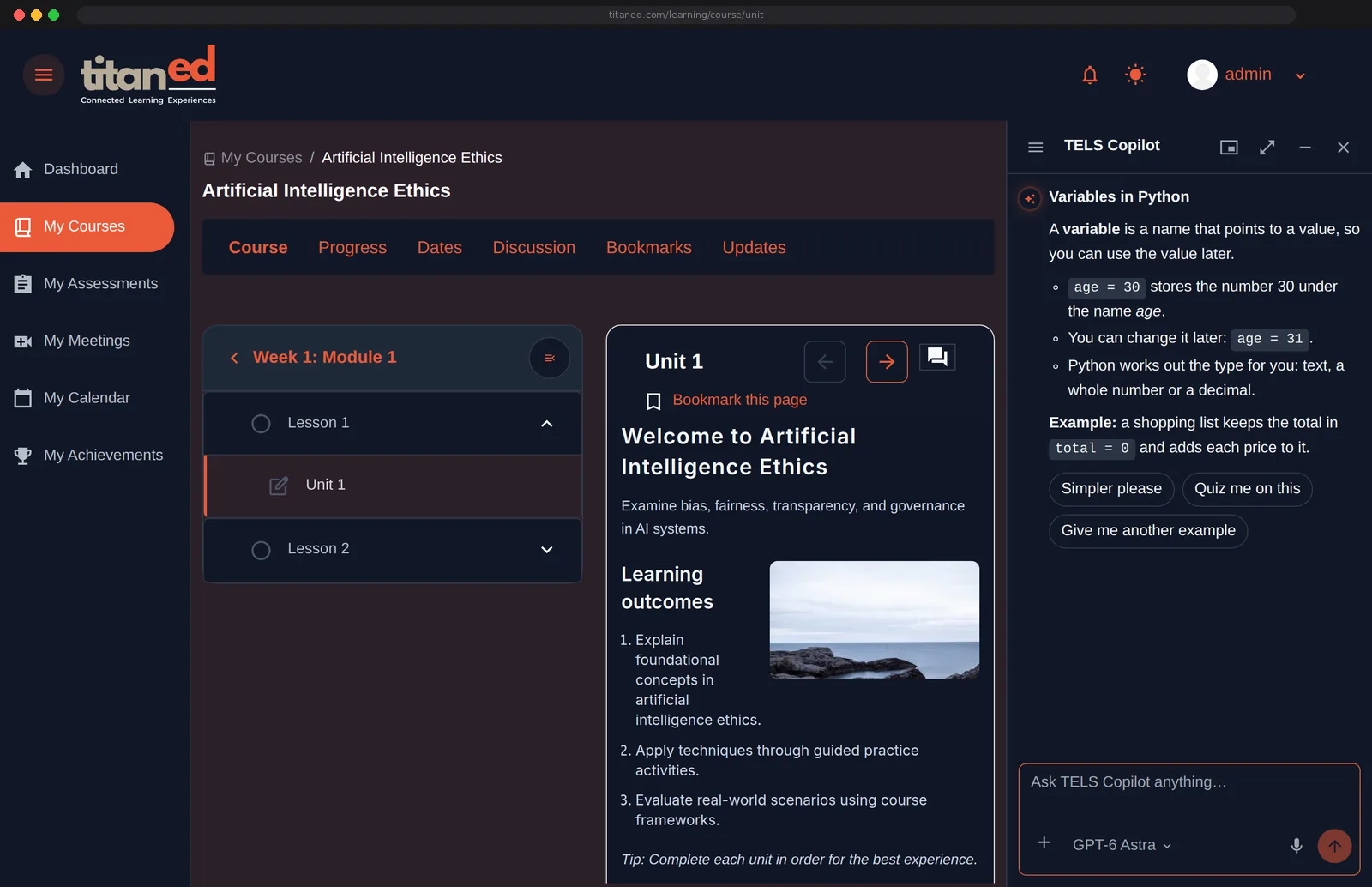
Explore how TitanAI helps with the tasks that already matter in learning. Select a task to view the relevant experience.
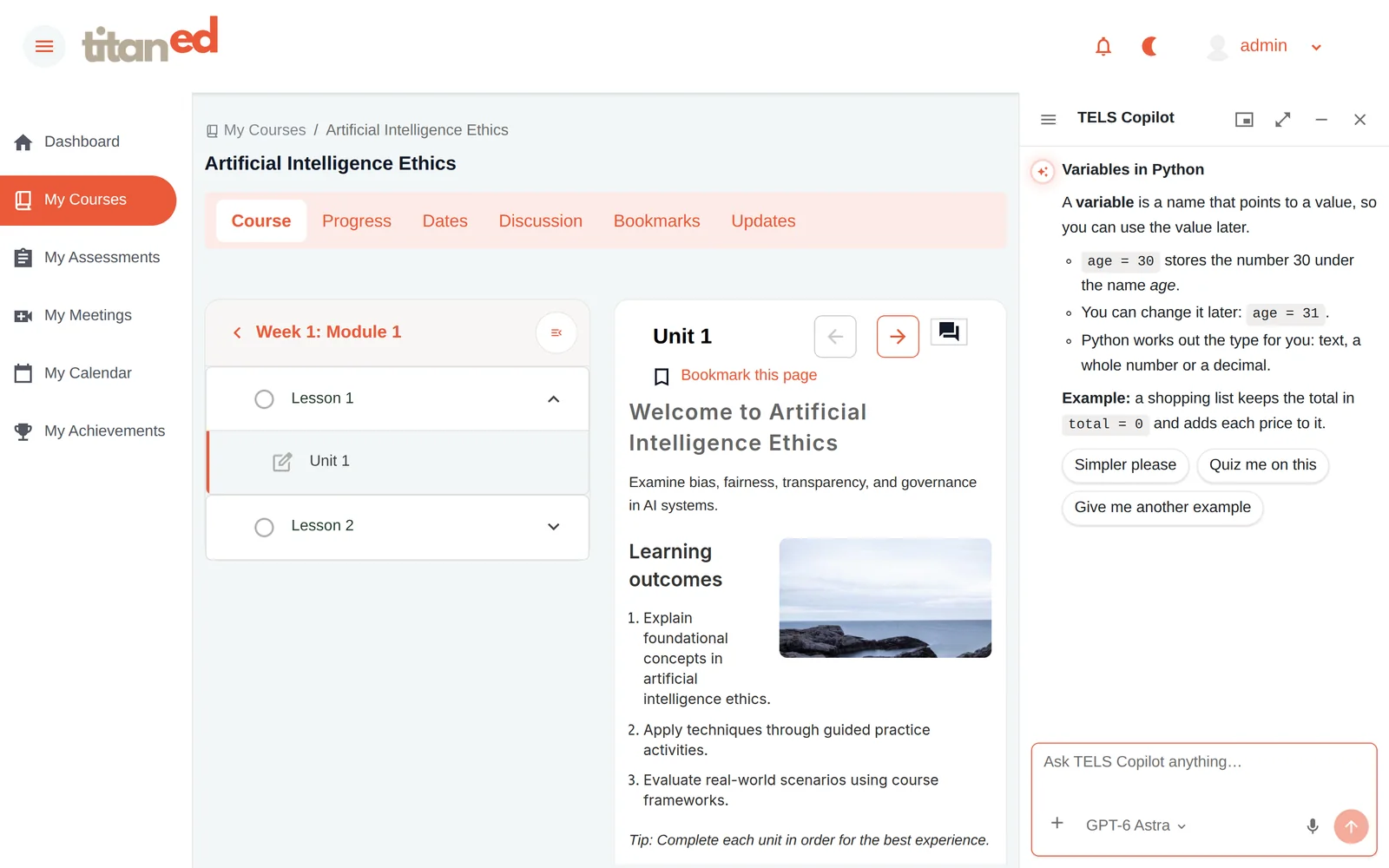
Ask about the lesson and get explanations in context.
Example: “Explain this idea with a practical example.”
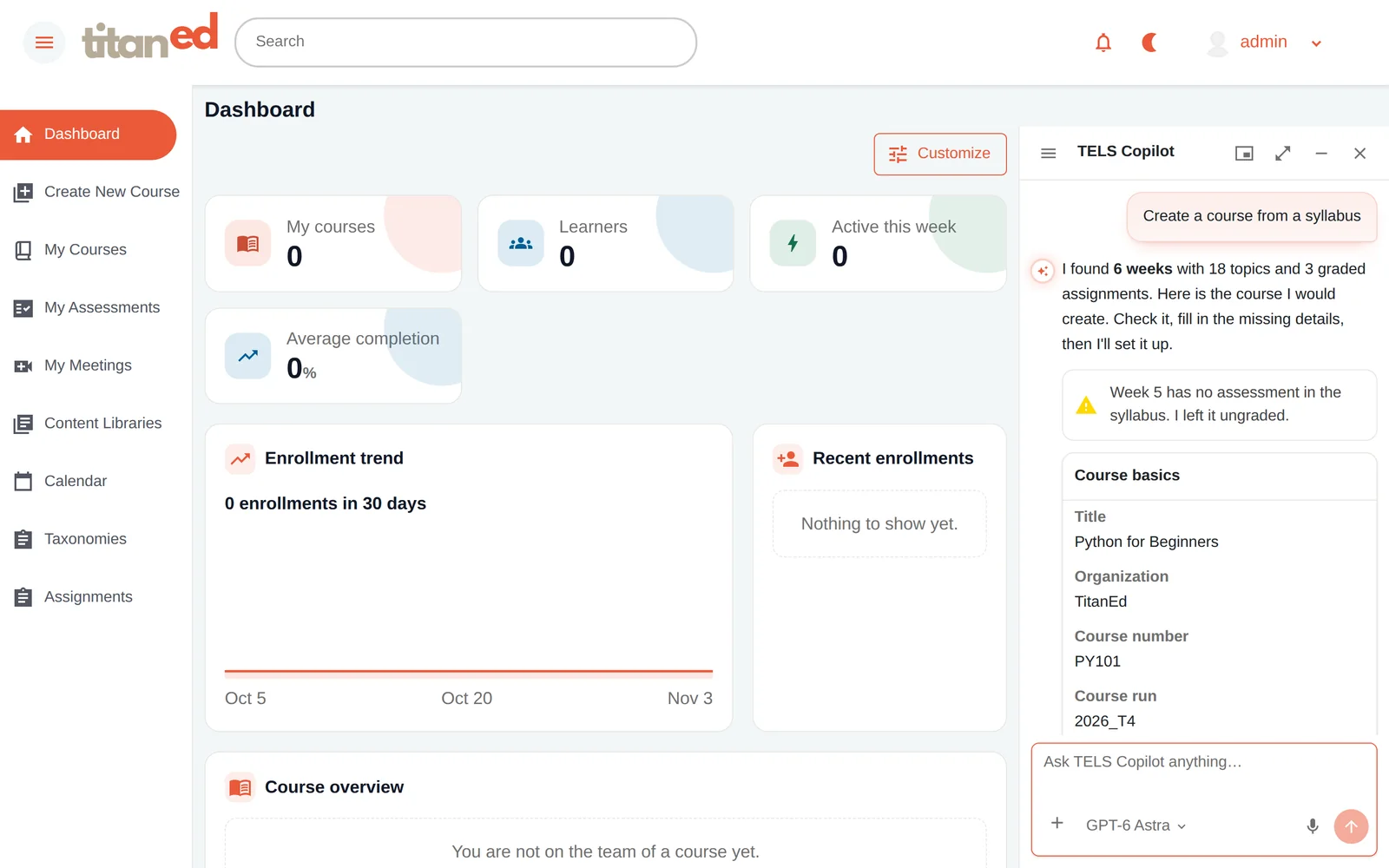
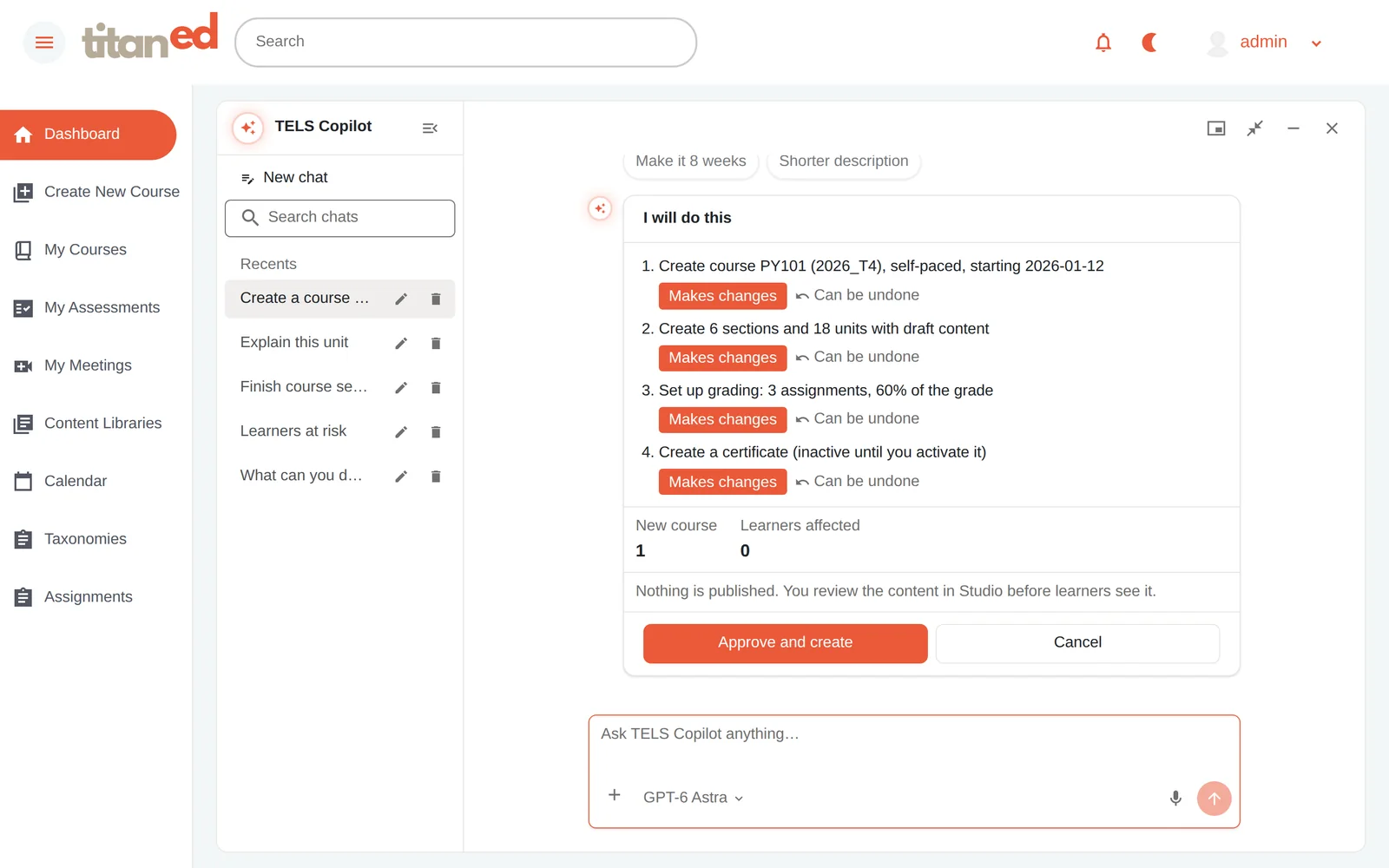
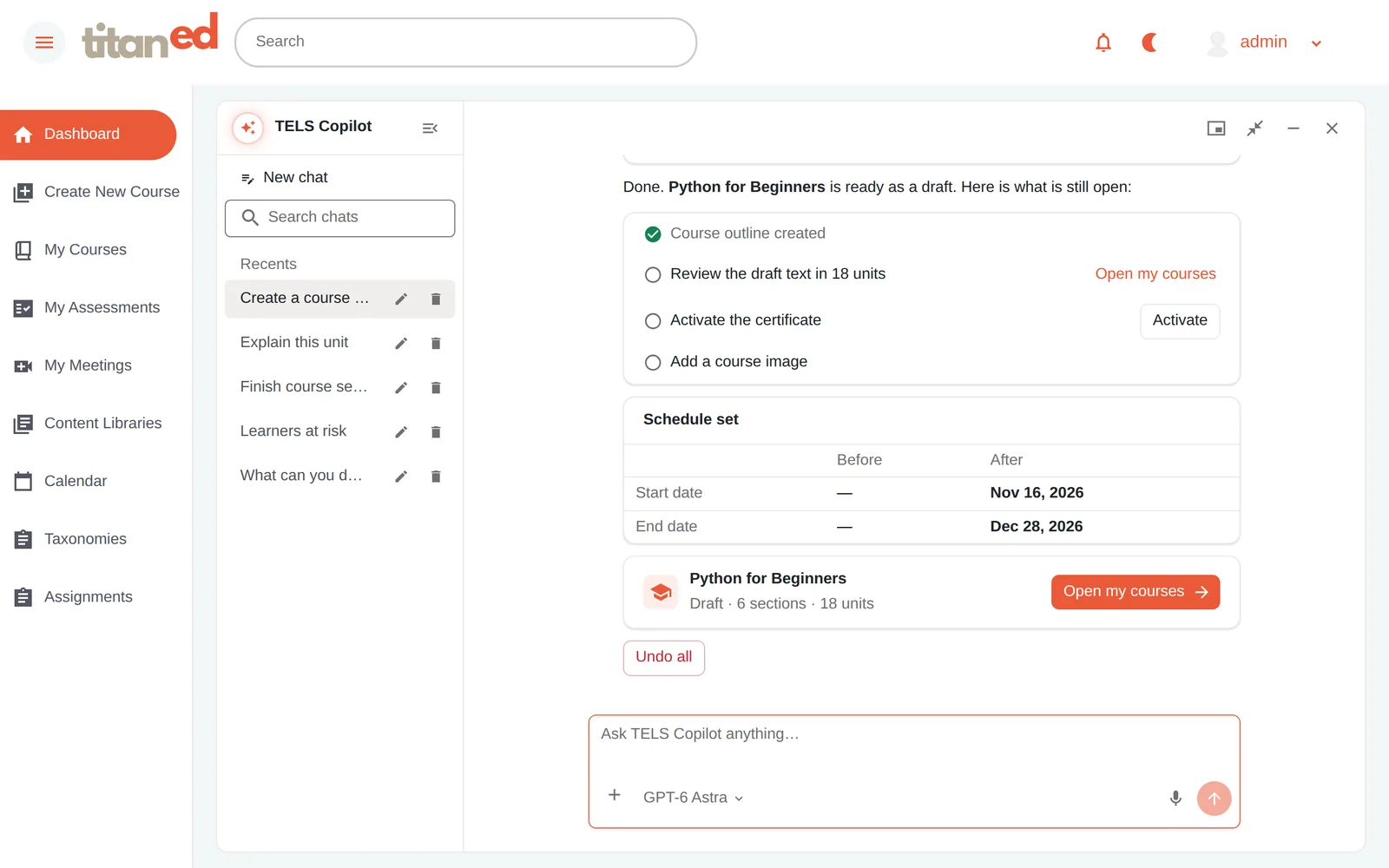
Turn learning objectives into a course structure and refine instructional material.
Example: “Help me outline a lesson on this topic.”
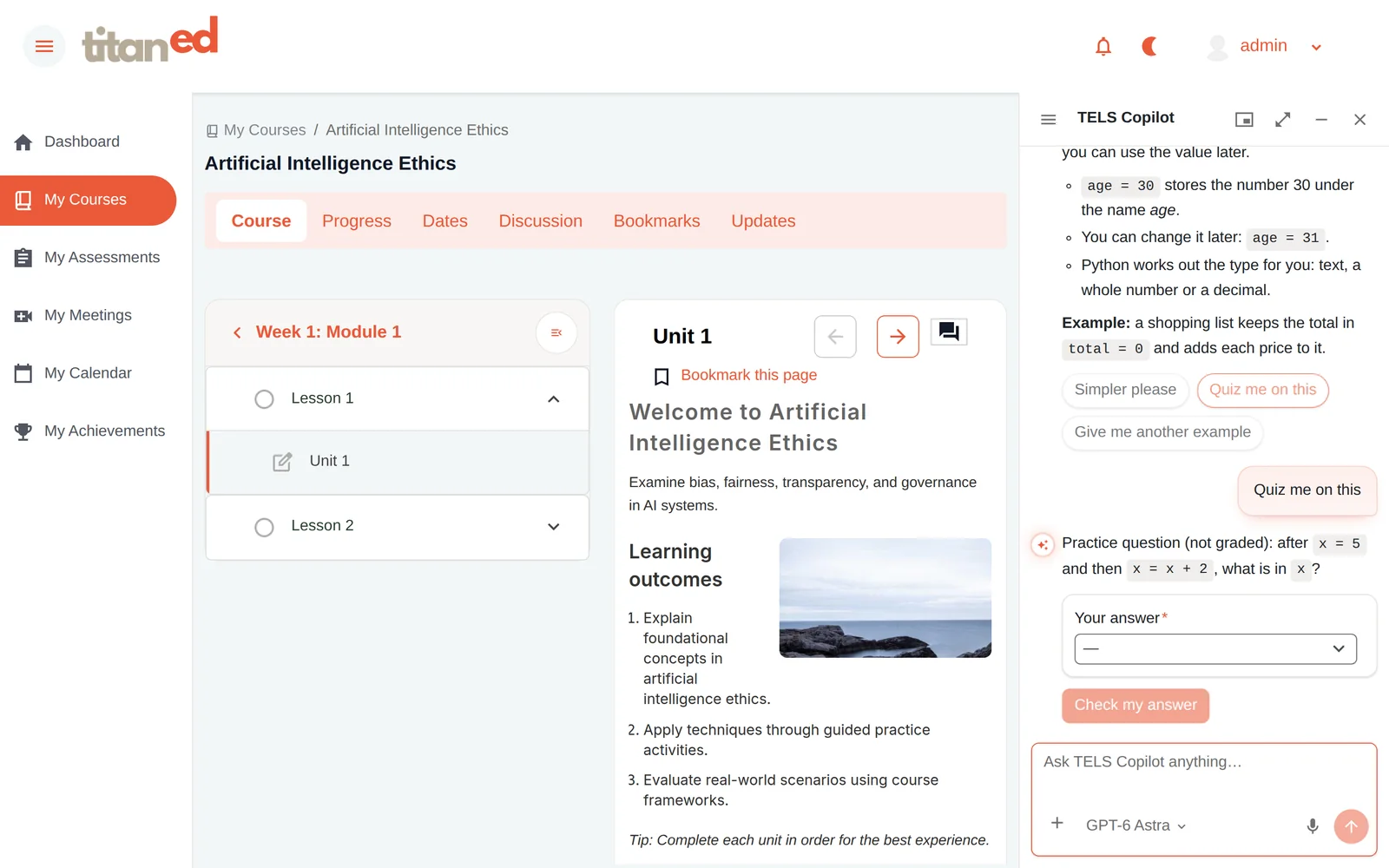
Reinforce learning and check understanding.
Example: “Give me questions to practice this unit.”
Review learning and AI insights to identify where additional support may help.
Example: “Where are learners struggling with this course?”
Task views show the intended experience using product screens. Available tools, outputs and limits depend on plan, configuration and institutional settings.
Meet Ted, the proposed friendly name for the contextual AI companion within TELS Cloud. Ted helps learners ask questions, understand course materials and practice in the moment, within the tools they’re already using.
Assistance is connected to the relevant course or unit where enabled.
Explanations and practice support understanding without replacing the learner’s work.
Access and supported capabilities follow institutional settings.
Create with confidence. Plan and refine courses with AI support while retaining editorial responsibility.
Understand and practice. Explore difficult concepts, ask context-aware questions and reinforce knowledge.
See what needs attention. Review available insights, course patterns and AI reports to support decisions.
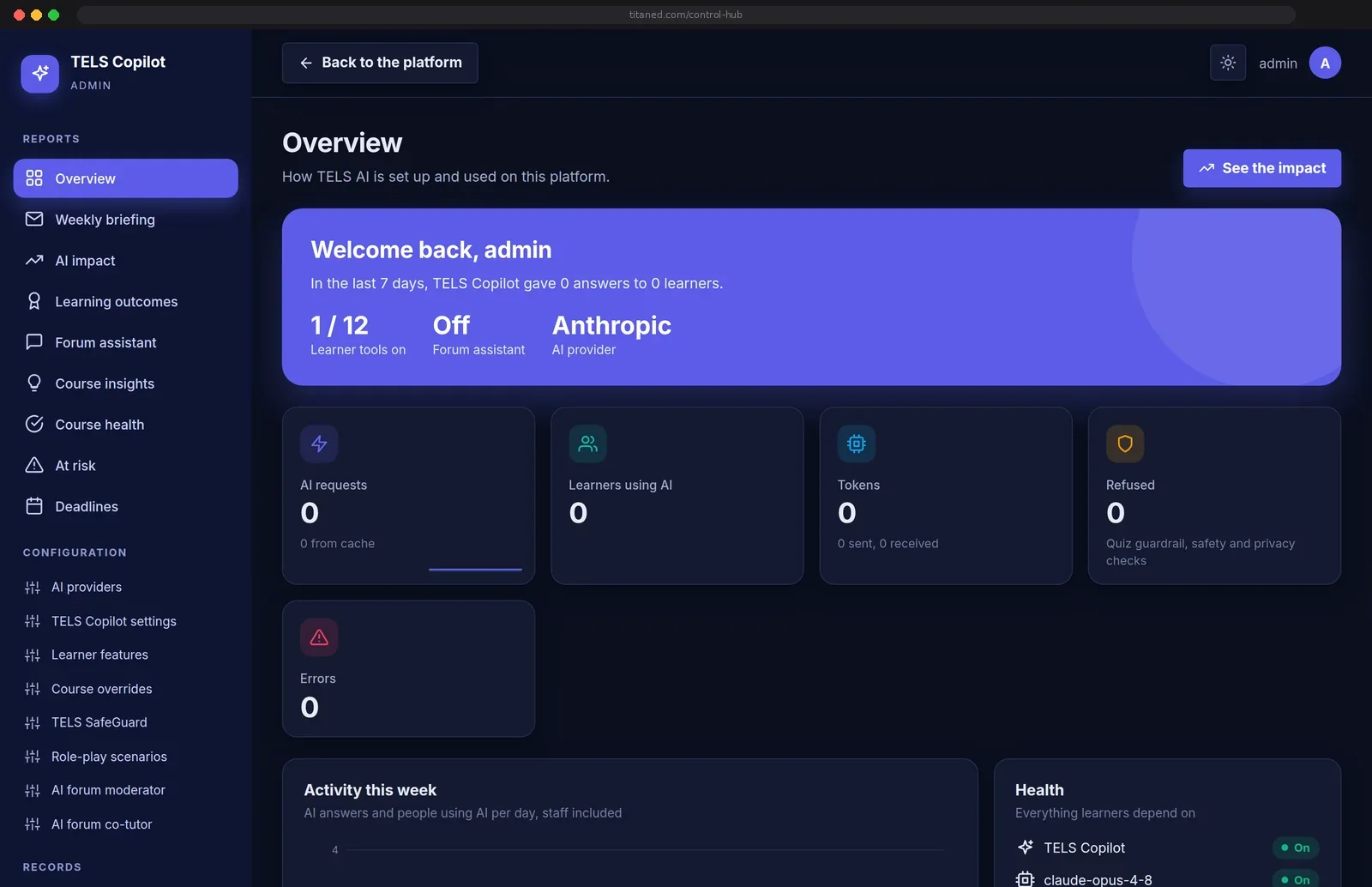
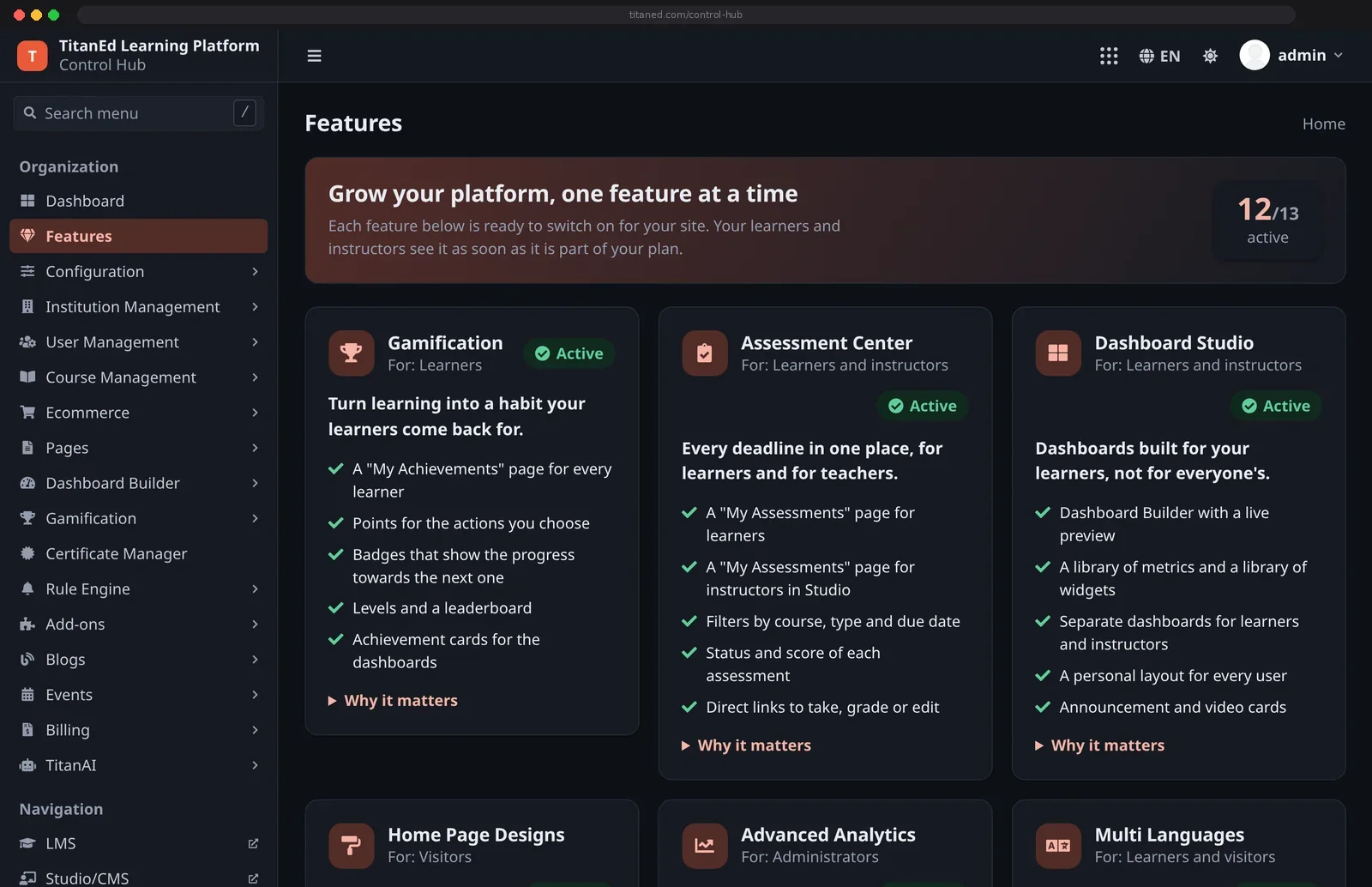
Useful intelligence also needs thoughtful administration. TELS Cloud includes a broader AI Copilot Administration experience so authorized teams can oversee which capabilities are available and understand how they’re being used.
Review and configure supported learner and educator AI tools, their availability and relevant access settings.
Use available AI activity, impact, course-health and learner-support insights to evaluate adoption and identify areas for attention.
Apply access controls, review configuration and make informed choices about where AI assistance is appropriate. Human judgment remains essential for educational and institutional decisions.
Applicable privacy, handling, retention and model-provider commitments are explained in our Security & Trust documentation.
Explore useful AI experiences within TELS Cloud, backed by meaningful institutional controls and TitanEd engineering.
Human capability, strengthened by intelligence.
This website uses cookies to improve your experience. We'll assume you're ok with this, but you can opt-out if you wish. Read More